Wall Paint Simulator: The Smartest Way to Choose Paint Colors Before Painting
Choosing the perfect wall color can be challenging. A paint shade that looks amazing on a color card may appear completely different once it covers an entire wall. This is where a wall paint simulator becomes incredibly useful.
A wall paint simulator allows homeowners, interior designers, and DIY enthusiasts to preview different paint colors on walls before making a purchase. Instead of relying on imagination, you can see how a room will look with various shades in just a few clicks.
What Is a Wall Paint Simulator?
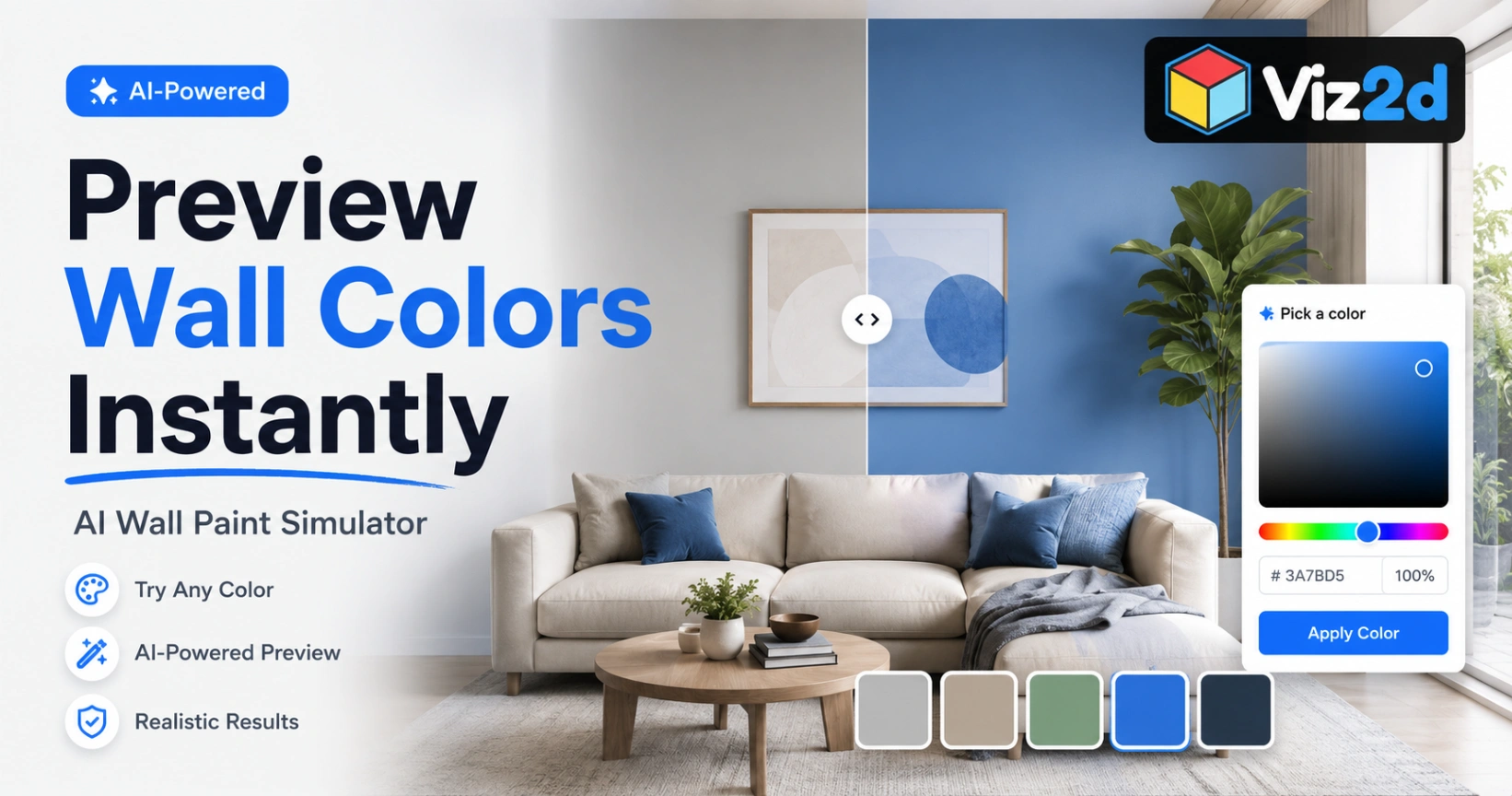
A wall paint simulator is a digital tool that lets users visualize paint colors on walls virtually. Most modern simulators use image recognition or AI technology to identify walls within a room photo and apply selected paint colors realistically.
Users can:
Upload photos of their rooms
Test hundreds of paint colors instantly
Compare multiple color combinations
Experiment with accent walls
Preview lighting effects and finishes
This eliminates much of the guesswork involved in selecting interior paint colors.
Why Use a Wall Paint Simulator?
Avoid Expensive Mistakes
Repainting a room can be costly and time-consuming. A wall paint simulator helps you identify colors you love before purchasing paint.
Visualize Colors in Your Own Space
Paint colors can appear different depending on room size, furniture, natural light, and décor. A simulator shows how colors work within your actual environment.
Save Time
Instead of applying multiple paint samples on walls, you can test dozens of options digitally within minutes.
Improve Design Confidence
Whether you're choosing neutral tones, bold accent colors, or modern palettes, a virtual preview helps you make decisions with confidence.
Features to Look for in a Wall Paint Simulator
When selecting a wall paint simulator, consider these features:
Realistic Color Rendering
The best tools accurately represent paint colors under different lighting conditions.
AI Wall Detection
Advanced simulators automatically identify walls, reducing manual editing.
Large Color Libraries
Access to extensive paint collections helps users explore more design possibilities.
Mobile Compatibility
Many homeowners prefer testing colors directly from their smartphones or tablets.
Before-and-After Comparison
This feature allows quick comparison between existing and proposed wall colors.
How to Use a Wall Paint Simulator
Using a wall paint simulator is usually straightforward:
Upload a photo of your room.
Select the wall area you want to paint.
Browse available paint colors.
Apply colors virtually.
Compare different options.
Save or share your favorite designs.
Within minutes, you can preview multiple room transformations without touching a paintbrush.
Wall Paint Simulator vs Traditional Paint Samples
FeatureWall Paint SimulatorPaint SamplesCostUsually free or low-costRequires purchasing samplesSpeedInstant resultsTakes time to applyVarietyHundreds of colorsLimited by sample purchasesConvenienceDigital and accessible anywherePhysical application requiredExperimentationUnlimitedLimited
While physical samples are still valuable for final confirmation, a wall paint simulator significantly reduces the number of colors you need to test.
Who Can Benefit from a Wall Paint Simulator?
A wall paint simulator is useful for:
Homeowners planning renovations
Interior designers
Real estate professionals
Property developers
DIY home improvement enthusiasts
Painting contractors
Anyone looking to improve a room's appearance can benefit from virtual paint visualization.
The Future of Wall Paint Simulators
Artificial intelligence is transforming home design tools. Modern wall paint simulators can now provide highly realistic previews, recommend complementary color palettes, and even generate complete room makeover suggestions.
As AI technology continues to improve, wall paint simulators will become an essential part of every home renovation project.
Final Thoughts
A wall paint simulator is one of the most effective tools for choosing paint colors confidently. By allowing users to preview colors before painting, it reduces uncertainty, saves money, and helps create better interior design outcomes.
Whether you're updating a single accent wall or redesigning an entire home, using a wall paint simulator can help you make smarter painting decisions and achieve the look you want before opening a paint can.